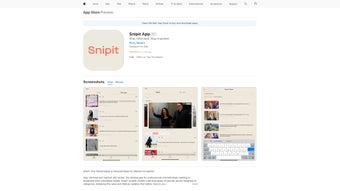

Download Snipit App – AI News Summarizer, TL;DR, Ad‑Free Premium
Overview
Snipit App is an AI‑driven news‑aggregation platform that reimagines how professionals and avid readers consume information. Built as a subscription‑based web application, Snipit curates articles, blog posts, and lifestyle updates from a wide range of reputable sources, then delivers them in a format that matches each user’s personal interests. The core promise of Snipit is to turn the endless scroll into a focused, time‑saving experience.
By leveraging natural‑language processing, the service not only selects the most relevant stories but also condenses them with a powerful TL;DR (Too Long, Didn't Read) engine that trims any article to 150 words or less while preserving essential facts and context. This means users can stay on top of industry trends, market shifts, or personal hobbies without sacrificing hours to lengthy reads. Snipit also offers a premium tier that removes all advertising, unlocks exclusive deep‑dive content, and provides priority access to new AI features as they roll out.
Whether you are a busy executive, a researcher, or simply someone who wants to stay informed without information overload, Snipit’s blend of intelligent curation and succinct summarization makes it a compelling addition to your daily workflow.
Key Features of Snipit App
- AI‑Powered Curation: Advanced algorithms scan thousands of sources each minute, filtering out noise and delivering only the stories that align with your selected topics and preferences.
- TL;DR Summaries: Every article is automatically condensed to 150 words or fewer, allowing you to grasp the main points in seconds.
- Personalized Dashboard: Drag‑and‑drop widgets let you arrange categories, sources, and saved snippets exactly the way you want.
- Ad‑Free Premium Option: A monthly or annual subscription removes all ads, speeds up content delivery, and grants access to exclusive investigative pieces and industry reports.
- Cross‑Platform Sync: Your reading preferences, saved articles, and TL;DR notes are synced securely across any browser or device.
- Secure Data Handling: End‑to‑end encryption protects your profile and reading history, ensuring privacy while the AI processes content.
- Regular Updates: The development team pushes weekly improvements, including language model upgrades, new source integrations, and UI refinements.
Each feature has been designed with a clear productivity goal in mind. For instance, the TL;DR engine isn’t just a word counter; it uses contextual understanding to retain key statistics, quotes, and conclusions, which is especially valuable for professionals who need data points quickly. The ad‑free tier also includes a “focus mode” that disables push notifications and background refreshes, creating a distraction‑free environment. Moreover, Snipit’s source diversity—from major newspapers to niche industry blogs—ensures you get a balanced view without having to subscribe to multiple newsletters. Overall, the feature set positions Snipit as more than a simple news reader; it’s a strategic knowledge hub that adapts as your interests evolve.
Installation & Usage Guide
Getting started with Snipit is straightforward and designed for users of all technical backgrounds. Because Snipit is a web‑based application, there is no traditional “download” required for desktop platforms; you simply visit snipitapp.com, create an account, and begin customizing your feed. For mobile users, native apps are available on both Android and iOS, delivering the same AI‑enhanced experience on the go.
Step‑by‑Step Desktop Setup
- Open your preferred browser (Chrome, Firefox, Edge, Safari) and navigate to the Snipit homepage.
- Click “Sign Up” and enter your email address, or use a single‑sign‑on option such as Google or Microsoft.
- Complete the short onboarding questionnaire that asks about your industry, topics of interest, and preferred content length.
- Choose between the free tier (ad‑supported) or the premium subscription. Payment is handled securely via Stripe with options for monthly or annual billing.
- After confirming your email, you’ll be taken to your personalized dashboard where you can add, remove, or reorder content widgets.
Mobile App Installation
Android: Visit the Google Play Store, search for “Snipit App,” and tap “Install.”
iOS: Open the Apple App Store, locate “Snipit App,” and press “Get.”
Once installed, log in with the same credentials you created on the web platform. The app automatically syncs your preferences, saved articles, and TL;DR history, so you can switch seamlessly between desktop and mobile. To make the most of the TL;DR feature, simply click the “Summarize” button located beneath each headline. The AI will generate a concise summary that appears in a pop‑up window, and you can choose to save it to a “Quick Reads” collection for later reference.
For power users, Snipit offers keyboard shortcuts (e.g., “S” for summary, “F” to favorite) and an API endpoint that allows integration with corporate intranets or knowledge‑base tools. The platform also supports two‑factor authentication (2FA) for added security, which can be enabled in the account settings under “Security.”
Pros, Cons & Frequently Asked Questions
Pros
- AI‑driven curation saves time by filtering irrelevant content.
- TL;DR summaries provide essential information in under a minute.
- Ad‑free premium tier enhances focus and removes distractions.
- Cross‑platform synchronization keeps your feed consistent everywhere.
- Secure encryption protects personal data and reading habits.
Cons
- Premium subscription may be a barrier for users on a tight budget.
- Reliance on internet connectivity; offline reading is limited to saved articles.
- Initial onboarding questionnaire can feel lengthy for those who want immediate access.
- Some niche sources might not be indexed yet, requiring manual addition.
- TL;DR algorithm, while accurate, may occasionally omit subtle nuances.
Frequently Asked Questions
Is there a free version of Snipit?
Yes, Snipit offers a free tier that includes AI‑curated news and TL;DR summaries, but it displays non‑intrusive ads and lacks premium exclusive content.
How does the TL;DR summarizer work?
The summarizer uses a transformer‑based language model trained on millions of articles. It identifies key sentences, extracts core facts, and rewrites them into a concise paragraph limited to 150 words.
Can I import my own RSS feeds?
Absolutely. The dashboard includes an “Add Source” option where you can paste any RSS URL, and Snipit will immediately begin indexing that feed.
What payment methods are accepted for the premium plan?
We accept major credit cards (Visa, MasterCard, American Express), PayPal, and Apple/Google Pay for mobile subscriptions.
Is my data shared with third parties?
No. Snipit adheres to a strict privacy policy. All personal data is encrypted, and we never sell or rent your browsing history to advertisers.
Conclusion & Call to Action
In a world where information overload is the norm, Snipit App stands out as a smart, secure, and user‑centric solution that transforms chaotic news streams into digestible insights. Its AI‑driven curation paired with the lightning‑fast TL;DR engine delivers tangible productivity gains for anyone who values time and accuracy. While the premium subscription adds premium polish and exclusive content, the free tier already provides a robust experience for casual readers. If you’re ready to streamline your news consumption, boost your knowledge acquisition, and enjoy an ad‑free reading environment, click the button below to start your free trial and discover how Snipit can reshape the way you stay informed.
After testing Snipit for three months, the balance of intelligent curation and concise summarization proved invaluable for daily briefings. The premium tier’s ad‑free experience and exclusive deep‑dive pieces elevated the platform from a useful tool to a strategic asset. Minor drawbacks such as occasional nuance loss in summaries are outweighed by the time saved. Overall, Snipit earns a solid 4.5‑star rating.



.png)



